 This is the documentation for previous versions of GeoDesk (1.0 to 1.3). For the most recent version, please visit docs.geodesk.com.
 The gol Command Line Utility
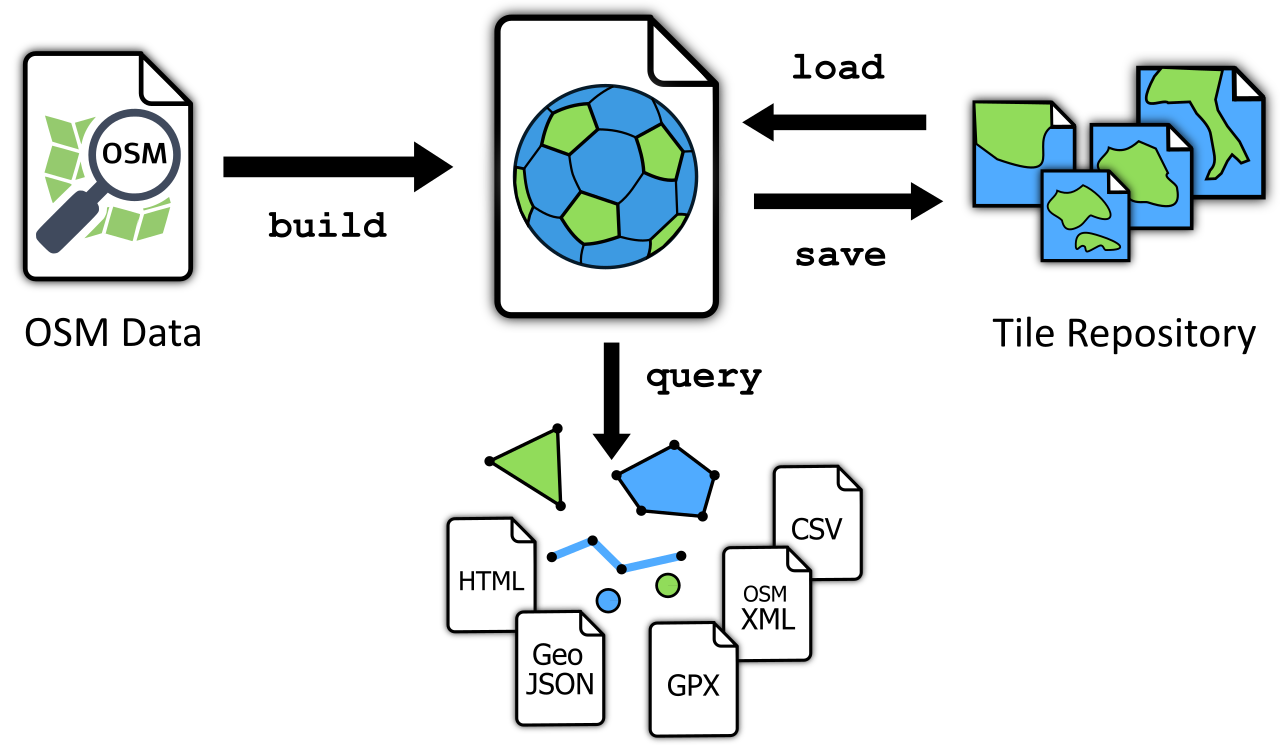
The gol (“Geo-Object Librarian”) command-line utility allows you to build, manage and query feature libraries.
Usage:
gol <command> <gol-file> [<arguments>] [<options>]
Commands
Creates a feature library from OpenStreetMap data. | |
Verifies the library’s integrity. | |
Displays documentation. | |
Provides basic file statistics. | |
Imports tiles for a specific area. | |
Extracts features. | |
Exports tiles. |
Common Options
-a, --area=<FILE>
Defines the area to which the command should be applied. Currently, only polygon files are supported.
-b, --bbox=<W>,<S>,<E>,<N>
Defines the rectangular area (bounding box) to which the command should be applied. Coordinates are specified in WGS-84 (degrees longitude and latitude) and take the form <west>,<south>,<east>,<north>. Coordinates must not be separated by spaces (otherwise, they would be interpreted as separate arguments).
As an alternative, this option accepts a tile descriptor in the form z/x/y.
-n, --new
Use this option to create an empty .gol file if the specified library does not exist (rather than failing with an error message). Combine this option with --url to specify a tile repository from which the library will be populated.
-q, --quiet
Displays only minimal output. Apart from error messages, only minimal progress updates are written to stderr.
-u, --url=<URL>
Specifies the URL of the remote repository from which tiles are downloaded into the library.
-s, --silent
No output at all is written to stderr, not even error messages. (Whether a command succeeded or failed can only be ascertained via the status code returned by the process).
-v, --verbose
Writes extra information to stderr.